
What Is a Design System? A Practical Guide for 2026
A clear, jargon-free explanation of what a design system is, what it contains, and how to tell whether your team actually needs one yet.

A design system is a single source of truth that pairs reusable UI components with the standards, guidelines, and code that govern how they are used. It keeps a product visually consistent and faster to build, because designers and engineers share one library instead of rebuilding scattered, one-off screens.
What a design system actually contains
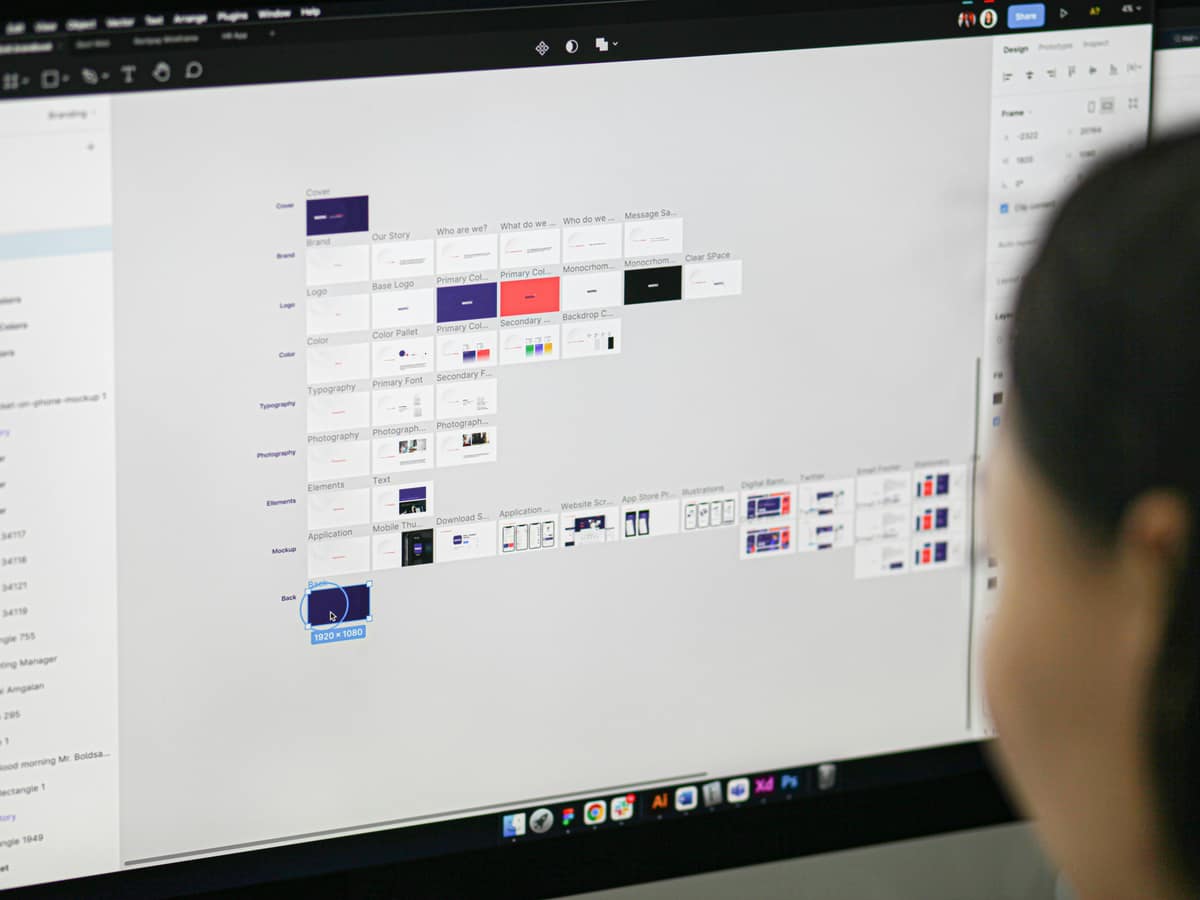
People often picture a design system as a Figma file full of buttons. That is one layer. A working system has four:
Foundations
The primitives every screen is built from: color, typography, spacing, grid, elevation, motion, and iconography. Foundations are usually stored as design tokens so the same value drives both the design tool and the codebase.
Components
Reusable elements like buttons, inputs, cards, and navigation. Each one carries its states (default, hover, focus, disabled, error) and rules for when to use it. A good component answers a question before a designer has to ask it.
Patterns
Components combined to solve a recurring problem: a sign-up flow, an empty state, a data table with filters. Patterns are where a design system stops being a parts bin and starts encoding how the product behaves.
Guidelines and governance
The written rules. Voice and tone, accessibility requirements, contribution process, and who decides what gets added. Without governance, a system drifts back into the chaos it was meant to replace.
Why teams build one
Three reasons come up on almost every project I take on.
Consistency. When one button lives in one place, every screen that uses it stays in sync. Fix the focus ring once and the whole product inherits it.
Speed. Designers assemble screens from known parts instead of drawing from scratch. Engineers pull a coded component instead of reinterpreting a mockup. The Nielsen Norman Group has documented how mature design systems cut redundant design and review work across teams.
Scale. A system lets five designers and twenty engineers ship work that looks like one product made by one team. That coherence is hard to fake past a certain headcount.
Design system, style guide, or component library?
These three get used interchangeably, and they are not the same thing. A style guide documents visual rules. A component library ships the reusable elements. A design system contains both, plus the patterns and governance that connect design and code. If you only need one of those layers today, you do not need the whole system yet. I break the differences down in Design System vs Component Library vs Style Guide.
When you actually need a design system
A system is an investment, not a default. You are ready when most of these are true:
- More than one designer or one engineer touches the UI.
- The same components keep getting rebuilt slightly differently.
- QA keeps flagging visual inconsistencies that nobody intended.
- Onboarding a new team member takes weeks because the rules live in people's heads.
- You are shipping across more than one platform or product surface.
If you are a solo designer on a single landing page, a tidy Figma file and a few shared styles will serve you better than a full system.
How to start small
The systems that fail are the ones that try to document everything before shipping anything. Start with the parts you reuse most:
- Audit your existing screens and list every component already in use.
- Define your foundations as tokens: color, type scale, spacing.
- Build the five or six components that appear on almost every screen.
- Write usage rules only where people keep making the same mistake.
- Ship it, then grow it from real product needs instead of guesses.
Frequently asked questions
Is a design system the same as a UI kit?
No. A UI kit is a collection of visual components, usually in a design tool. A design system adds the coded components, the usage rules, and the process for maintaining all of it over time.
How long does it take to build one?
A focused starter system covering foundations and core components takes a few weeks. A mature system that spans multiple products is never really finished, because it grows with the product.
Do small teams need a design system?
Most small teams need shared styles and a handful of reusable components, not a full system with governance. The need grows as the team and the surface area grow.
Need a design system built or audited?
I'm Jak, a UI/UX product designer and design system specialist with six-plus years building systems that designers and engineers actually use. See how that looks across real projects, then decide if we should talk.
See my workRelated posts
View all
Years of
Experience
Projects
Finished
Unique
Clients Served
Client
Nationalities
Want to see what I can do?
Reading about it is one thing. Take a look at the products, design systems, and interfaces I've actually shipped, then decide if we're a fit.
View my workLike what you see? You'll find how to reach me on the work page and in the menu.